

Introduction
In Your First 10 Minutes, you asked questions about a single account. But Endgame can also answer questions across your entire book of business or the entire organization. That’s what the homepage is for.Book vs account queries
When to use book-level queries
- Find patterns across multiple accounts
- Prioritize where to spend your time
- Prep for pipeline reviews or forecast calls
- Spot risks or opportunities you might be missing
- Get a digest of what’s happening across your book
When to use account-level queries
- Deep-dive on a specific account
- Prep for a meeting with one customer
- Research stakeholders at one company
- Draft outreach for a specific deal
- Prospect or identify whitespace to expand a customer
How it works
From the homepage, you’ll see the same chat interface as on account pages. The difference is that Endgame will search across all accounts you have access to, not just one.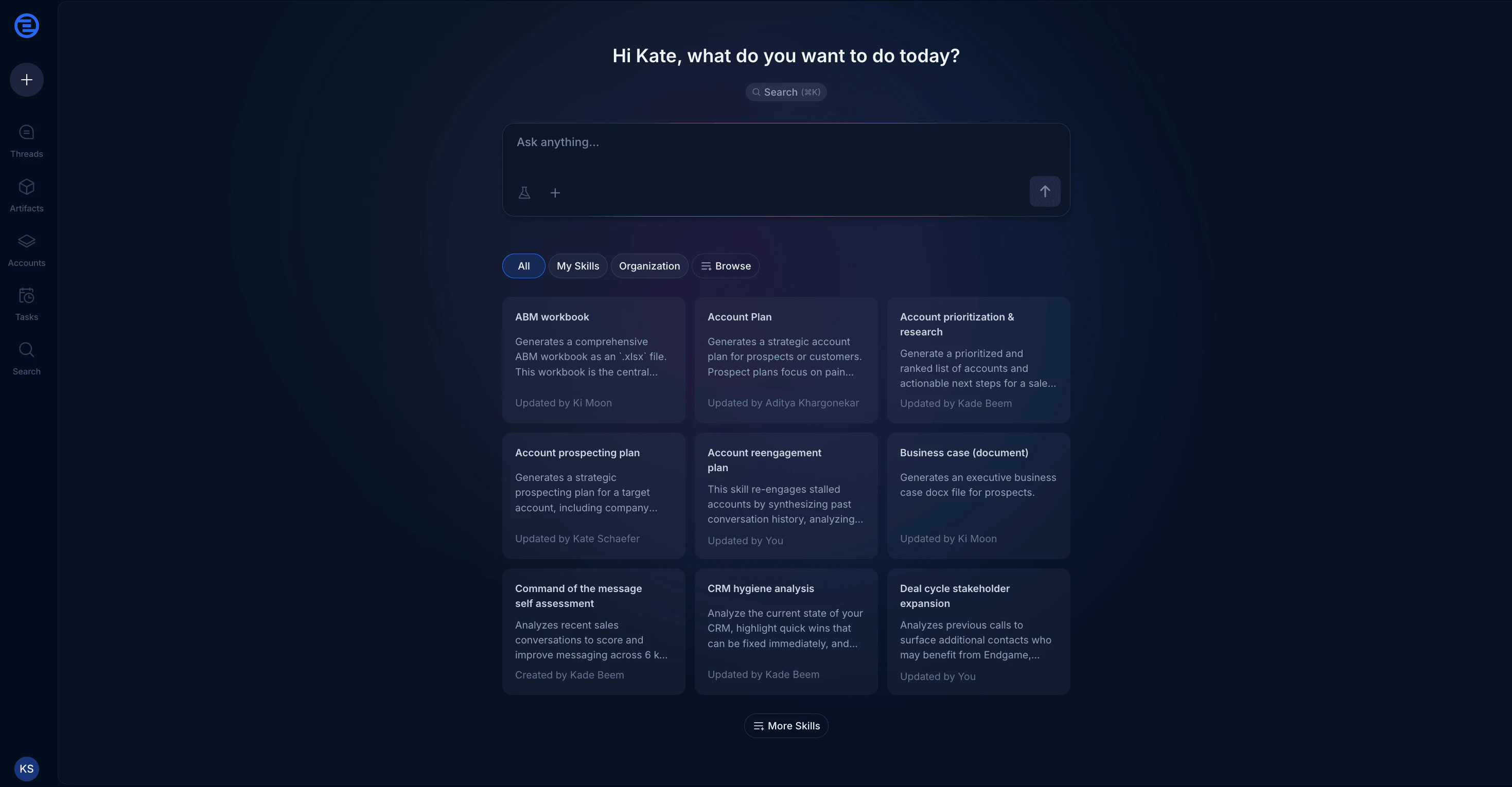
Endgame homepage
- Identify which accounts are relevant to your question
- Pull data from those accounts
- Synthesize insights across them
Sample prompts by use case
- Account research
- Pipeline management
- Competitive & win/loss analysis
- Account health & risk analysis
Tips for better book-level queries
Be specific about scope
“My accounts” vs “all accounts” vs “accounts closing this quarter” will give
you different results. Say what you mean.
Set time boundaries
“Last 30 days” or “this quarter” helps Endgame focus on relevant data.
Ask for rankings
“Top 5” or “rank by priority” forces Endgame to synthesize rather than just
list.
Request specific outputs
“Put this in a table” or “give me bullet points” makes results easier to
scan and act on.
Working with results
Book-level queries often return tables with multiple accounts. Here’s what you can do with them: Drill into an account: Click any account name in the results to open that account’s detail page and continue the conversation there. Export the data: Hover over tables to copy as CSV, download, or export to Google Sheets. Schedule it: Use Digests to get book-level insights delivered to your inbox on a schedule.Common questions
Which accounts does Endgame search?
Which accounts does Endgame search?
By default, Endgame searches accounts you have access to based on your
Salesforce permissions and ownership. If you want to narrow or expand the
scope, say so in your prompt (e.g., “across all enterprise accounts” or
“just my named accounts”).
Why is this slower than account-level queries?
Why is this slower than account-level queries?
Book-level queries search across more data. The more accounts involved, the
longer it takes. You can speed things up by narrowing your scope or time
range.
Can I save queries or workflows?
Can I save queries or workflows?
Yes. Save them as skills or schedule them as Digests to run
automatically.
Where do I find my past book-level threads?
Where do I find my past book-level threads?
Click Threads in the left navigation to see all your
non-account-specific conversations.
Next steps
Schedule a weekly digest
Get book-level insights delivered automatically
Create a skill
Rerun your best workflows with one click