

Find your digests
Your digests are in Settings > You > Digests. Each card shows the digest’s schedule, its recipients, and when it last ran and will run next. Use the search bar, the All, Active, and Inactive filters, or Sort to find one.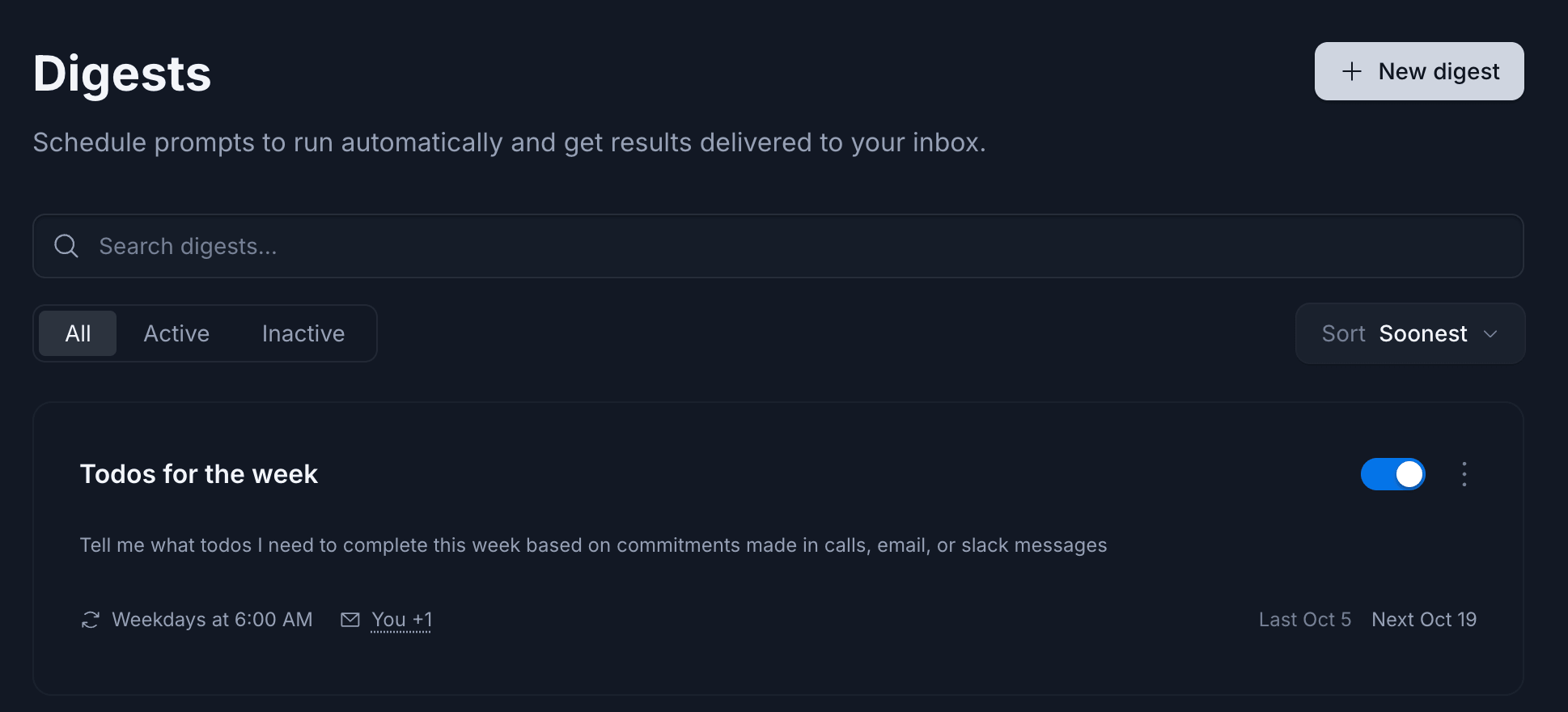
The Digests page lists your digests and their schedules.
Create a digest
- In Settings > You > Digests, click New digest at the top right.
- In Name, give the digest a short name you’ll recognize in your list, like “Weekly pipeline summary”.
-
In Prompt, write what you want Endgame to do, the same way you’d ask in chat. Say what to cover, which time period to look at, and how you want the results laid out. For example:
- Optional: in Additional recipients, add teammates who should also get the digest. Recipients must be active members of your organization. Digests go to you by default.
- In Digest schedule, choose how often it runs (daily, weekdays, weekly, monthly, or quarterly) and at what time. It runs in the timezone shown under the schedule.
- Click Create.
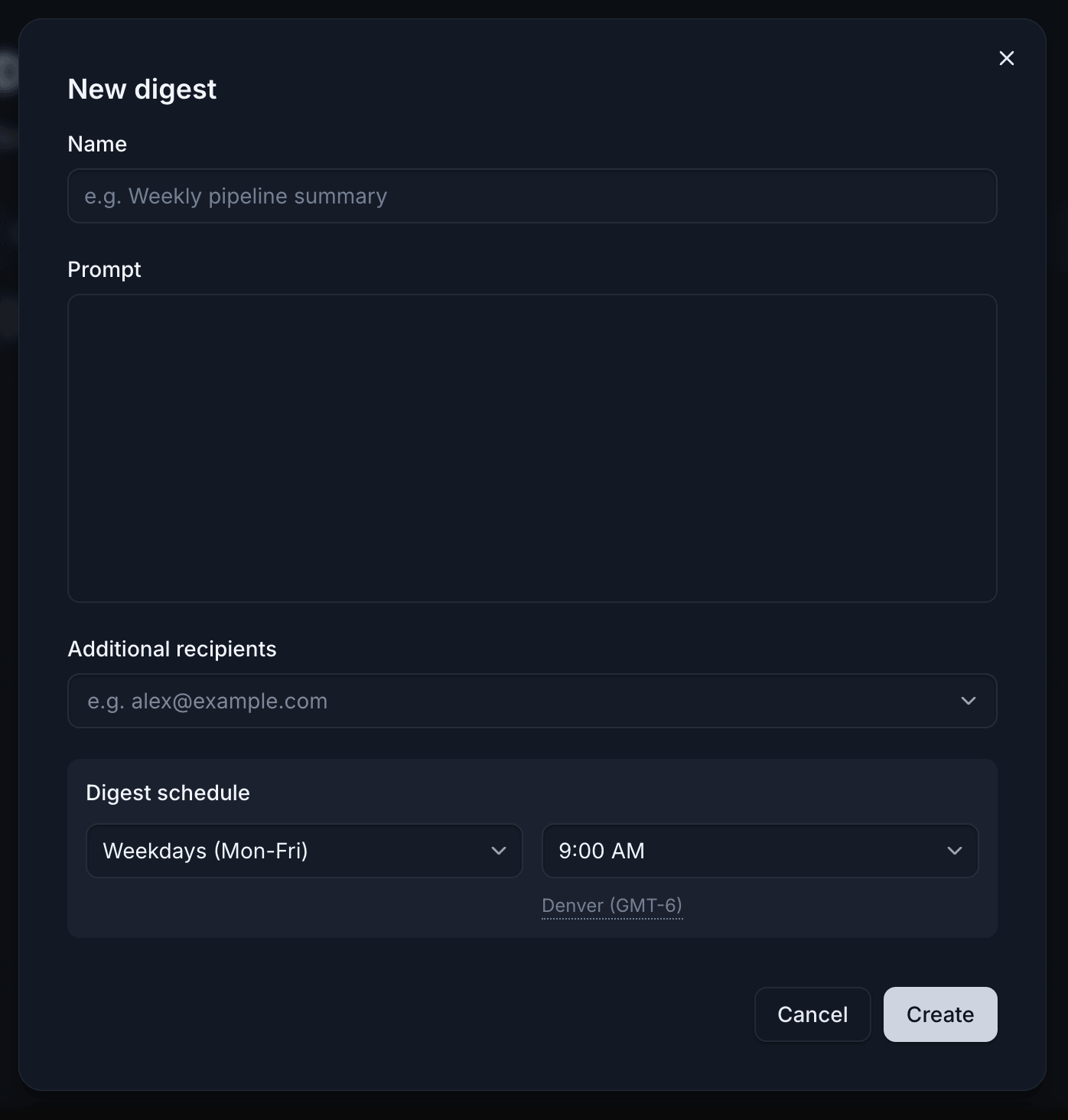
A new digest needs a name, a prompt, and a schedule.
Test a digest
You don’t have to wait for the schedule to see what a digest sends. Run it now, check the email, and adjust the prompt until the results are what you want.- On the digest’s card, open the ⋮ menu and select Run digest.
- Or open the digest and click Run now.
Manage a digest
- Turn a digest on or off: click the toggle on its card. A blue toggle means the digest is active. When it’s off, the card shows Paused instead of the next run date, and the digest keeps its settings until you turn it back on.
- Edit a digest: click anywhere on its card, or select Edit from the card’s ⋮ menu.
- Delete a digest: select Delete from the card’s ⋮ menu.
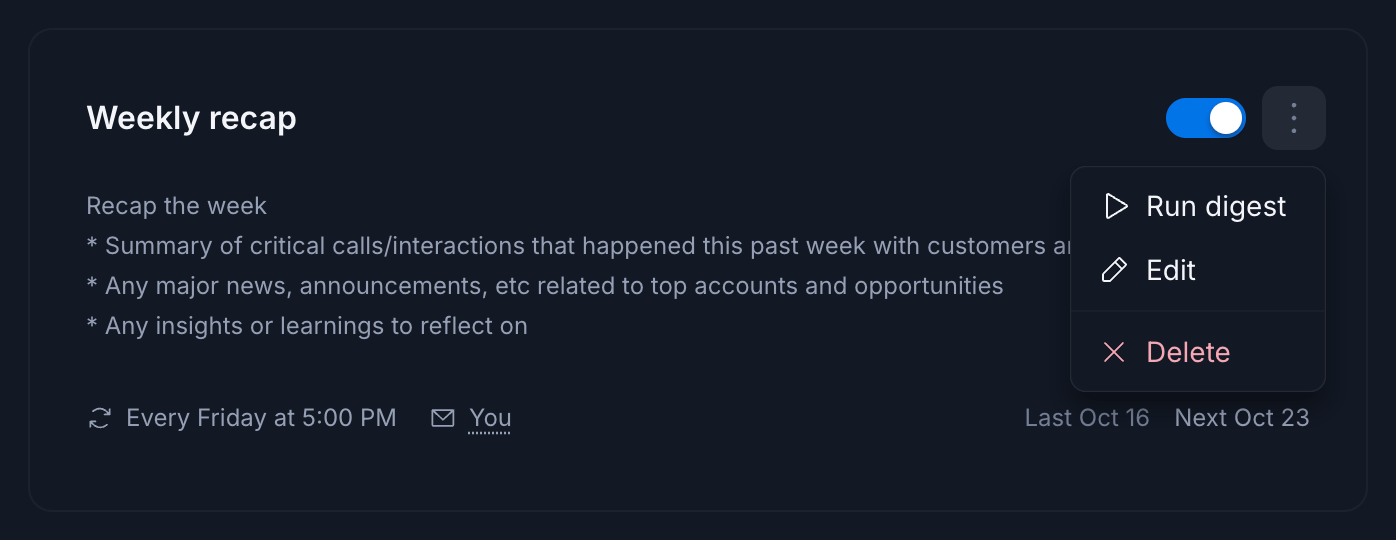
Use the ⋮ menu on a digest card to run, edit, or delete it.