> ## Documentation Index
> Fetch the complete documentation index at: https://docs.endgame.io/llms.txt
> Use this file to discover all available pages before exploring further.
# User Management
> Control which users have what access to Endgame
## User roles
Endgame currently supports two roles: Admin and Member.
**Admin**
* access and ability to edit all organization configuration in [settings](https://app.endgame.io/settings) including: integrations, user management, rules, knowledge, skills, and api key generation.
* access to user analytics dashboard
* all standard chat and app interactions and functionality
**Member**
* access to their own General Settings in [settings](https://app.endgame.io/settings)
* all standard chat and app interactions and functionality
## Viewing users and making updates
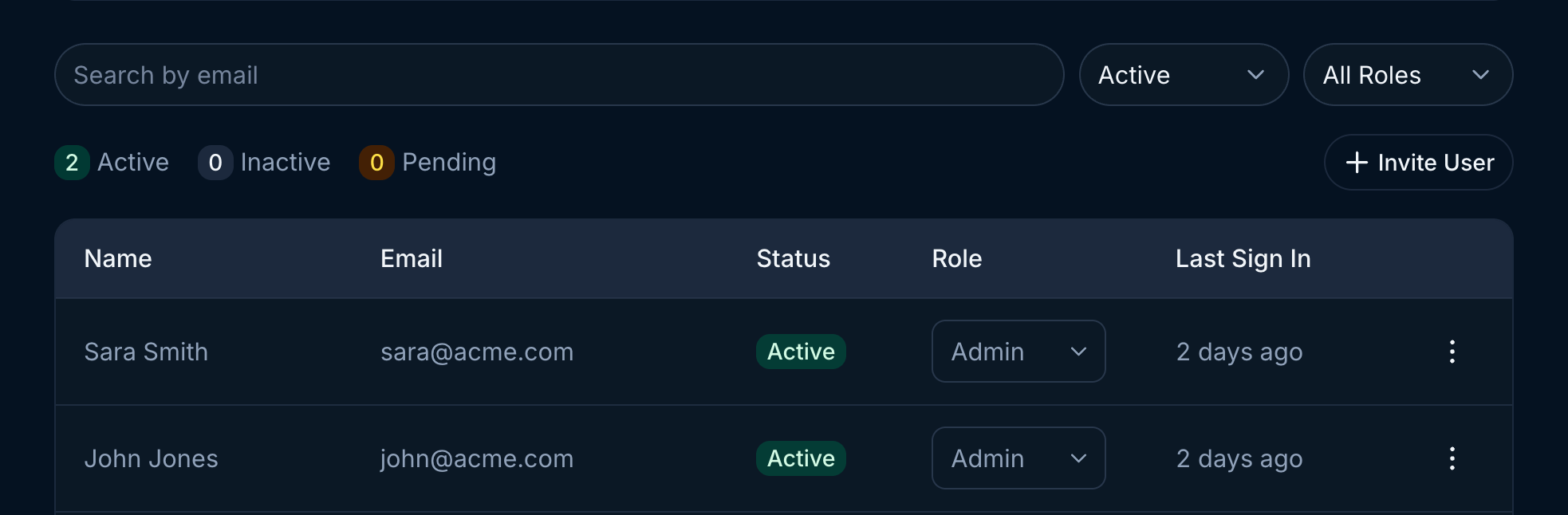
Once users have been granted access to Endgame you can update their roles, deactivate access, and view their last sign in.
Use the search or filtering capabilities to view specific users or groups of users. To deactivate a user, click on the three dots for that user row to open the menu and select the Deactivate Member option.
 Find more information about inviting users to your organization and setting up authentication options on our [Authentication](https://docs.endgame.io/authentication) page.