> ## Documentation Index
> Fetch the complete documentation index at: https://docs.endgame.io/llms.txt
> Use this file to discover all available pages before exploring further.
# Wiki
> Browse everything Endgame knows about your organization
The [Wiki](https://app.endgame.io/wiki) is a browsable view of your organization's context graph. Access it from the options in the left side navigation. It opens on a high-level view of the accounts, people, emails, meetings, and more that Endgame knows about. From there, search or click into any entity to open its page and dig into the details and sources behind it.
## Wiki home
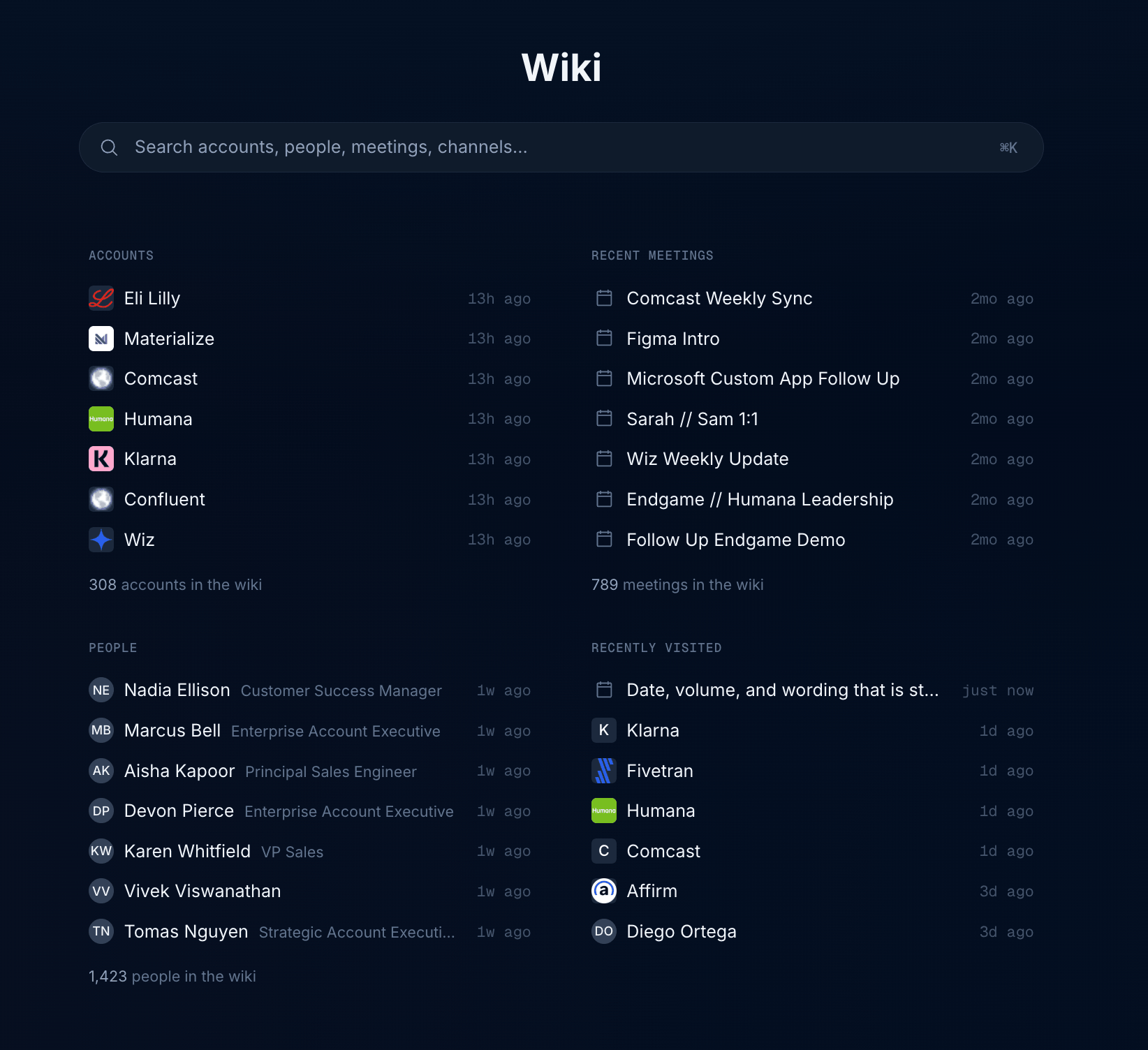
The Wiki home gives you an overall view of what is in your organization:
* **Accounts** — the most recently updated accounts, with the total number of accounts in the wiki
* **Recent meetings** — your team's meetings, with the total number of meetings in the wiki
* **People** — the most recently updated people and their titles, with the total number of people in the wiki
* **Recently visited** — the pages you opened most recently, so you can pick up where you left off
Click any item to open its page, or use the search bar at the top to find accounts, people, meetings, and channels. You can also open search from anywhere in the app by pressing `⌘K`. Results are grouped by category as you type, and each result carries a short label to help you tell similar entries apart.
 The only companies you will see are those with Account records in your CRM
that Endgame has been given access to.
## Entity pages
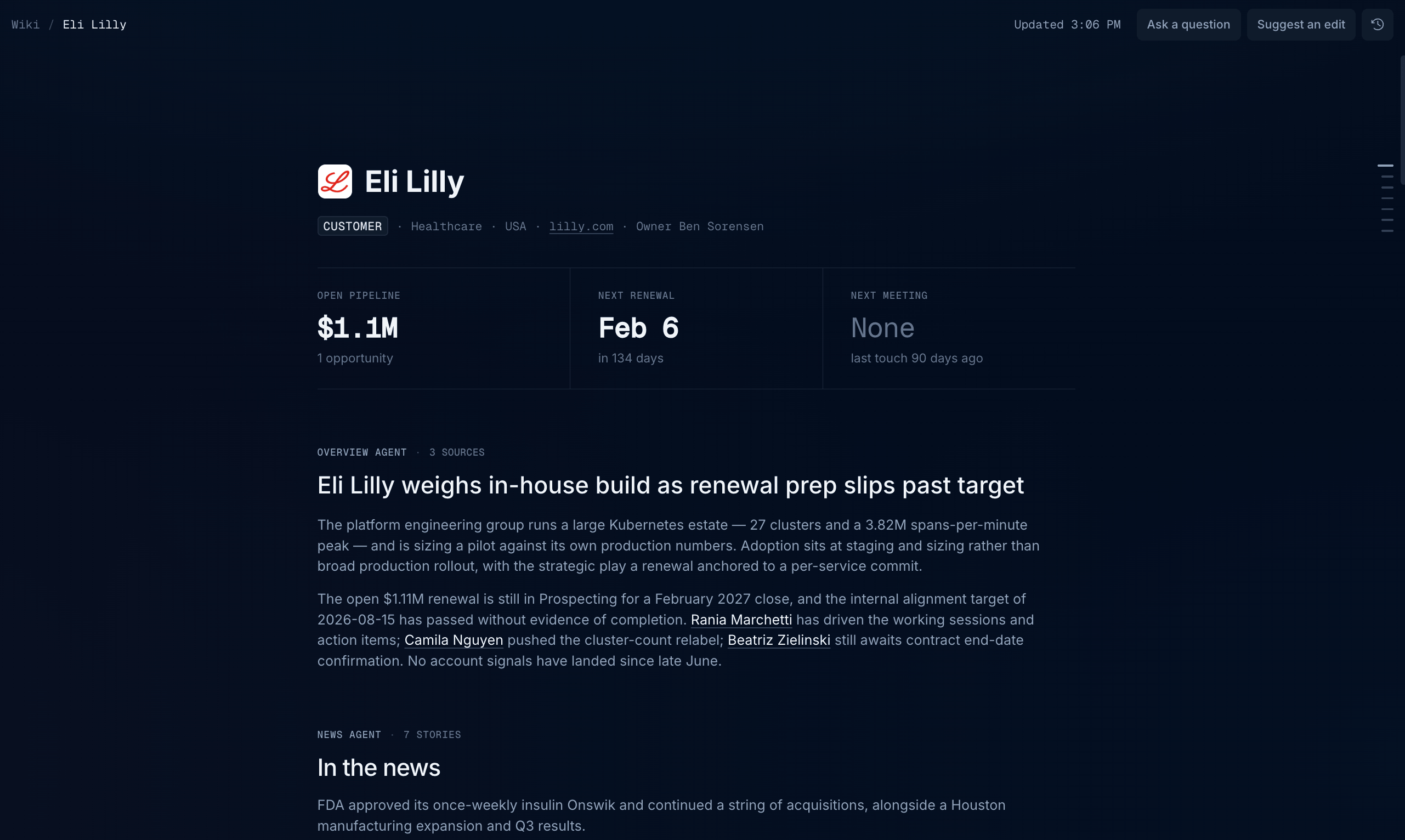
Each entity page brings together everything the context graph knows about that entity. An account page opens with key details such as the account type, industry, location, website, and owner, followed by a summary of open pipeline, the next renewal, and the next meeting. A person page shows their title, email, and the account they belong to, followed by their replies, last touch, next meeting, and meeting and email counts.
Below that, you'll find compiled insights and rollups produced by Endgame's context agents, which run around the clock to keep every entity current. Each section is labeled with the name of the agent providing the data and the number of sources behind it. Names of people and other entities link to their own pages, so you can move through the wiki the same way you would move through your accounts.
The only companies you will see are those with Account records in your CRM
that Endgame has been given access to.
## Entity pages
Each entity page brings together everything the context graph knows about that entity. An account page opens with key details such as the account type, industry, location, website, and owner, followed by a summary of open pipeline, the next renewal, and the next meeting. A person page shows their title, email, and the account they belong to, followed by their replies, last touch, next meeting, and meeting and email counts.
Below that, you'll find compiled insights and rollups produced by Endgame's context agents, which run around the clock to keep every entity current. Each section is labeled with the name of the agent providing the data and the number of sources behind it. Names of people and other entities link to their own pages, so you can move through the wiki the same way you would move through your accounts.
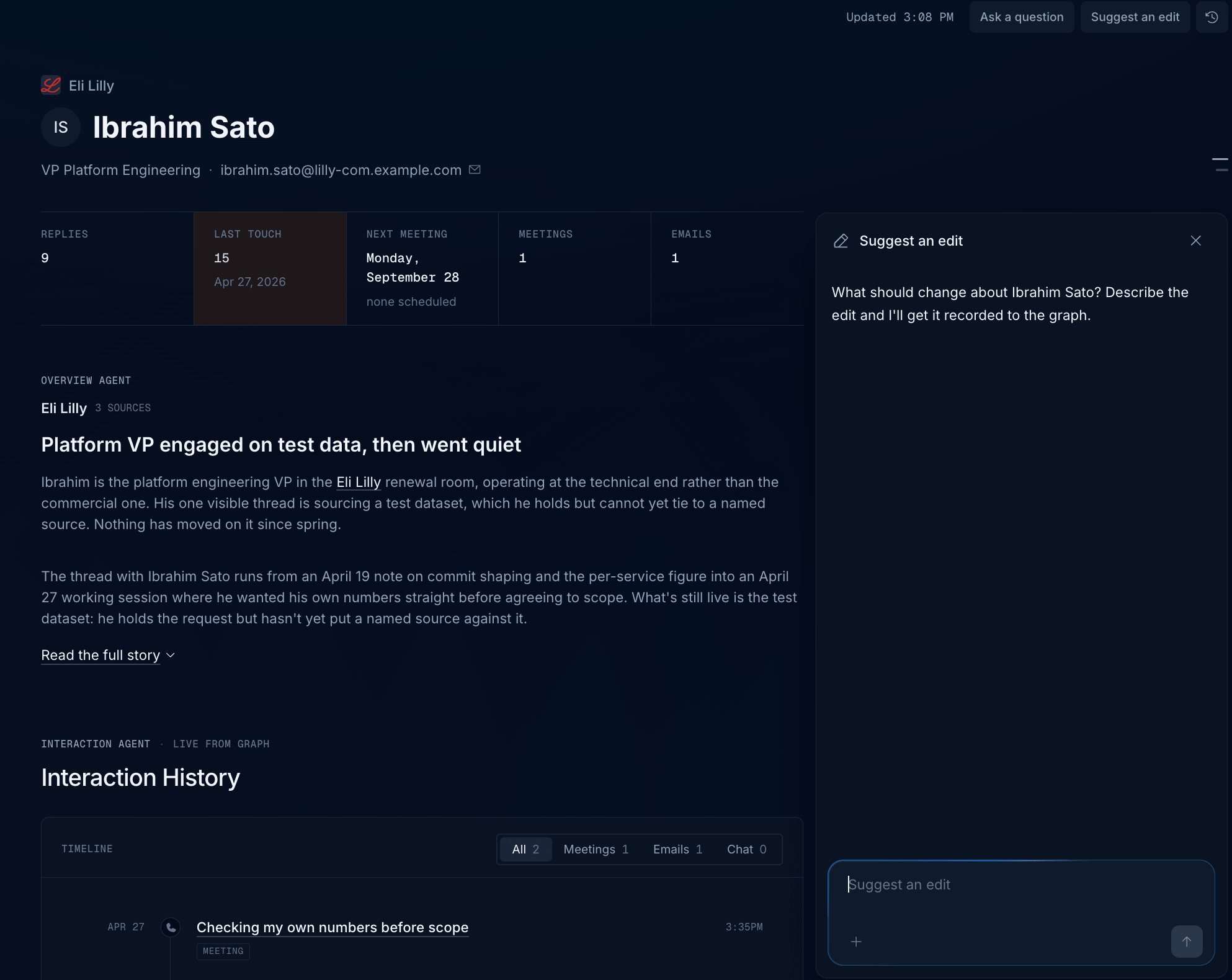
 The controls at the top of each page show when the page was last updated and let you:
* **Ask a question** — go straight to chat with the page's context already added
* **Suggest an edit** — tell Endgame when something on the page is wrong or missing
* **History** — see how the page has changed over time
### Suggest an edit
If something on a page is wrong, out of date, or missing, click **Suggest an edit** in the top right to open the edit panel alongside the page. Describe the change in plain language, such as a new title, a corrected relationship, or a fact Endgame doesn't have yet, and send it. Endgame records the edit to the context graph, so the correction shows up across the Wiki, in chat, and for everyone else in your organization.
The controls at the top of each page show when the page was last updated and let you:
* **Ask a question** — go straight to chat with the page's context already added
* **Suggest an edit** — tell Endgame when something on the page is wrong or missing
* **History** — see how the page has changed over time
### Suggest an edit
If something on a page is wrong, out of date, or missing, click **Suggest an edit** in the top right to open the edit panel alongside the page. Describe the change in plain language, such as a new title, a corrected relationship, or a fact Endgame doesn't have yet, and send it. Endgame records the edit to the context graph, so the correction shows up across the Wiki, in chat, and for everyone else in your organization.
 Admins can see the edits their team has contributed in the **Context added** view of the [Console](/console-observation#context-added).
The following context agents are included out of the box.
| Agent | Description |
| ----------------- | ------------------------------------------------------------------------------------------------------------------------------------------------------------------------------------------------- |
| Overview agent | Summarizes the current state of an account or person, bringing together recent activity, key relationships, and important developments so you can get up to speed quickly. |
| News agent | Finds and curates relevant public news about companies, helping you spot developments that could affect your relationships or create a reason to reach out. |
| Workstream agent | Organizes an account's ongoing initiatives into workstreams, highlighting progress, owners, next steps, and blockers across meetings, emails, and deal activity. |
| Deal agent | Brings together an account's opportunities, including deal stages, amounts, and close dates, so you can see the current pipeline in one place. |
| Committee agent | Identifies the people involved in an account's buying decisions, including decision-makers, champions, and connectors, and summarizes their roles and engagement based on the available evidence. |
| Interaction agent | Brings meetings, email conversations, and chat activity into a shared interaction history, helping you review past engagement and upcoming meetings. |
| Knowledge agent | Collects the documents and chat channels linked to an account, giving you a place to find the supporting material behind your team's work. |
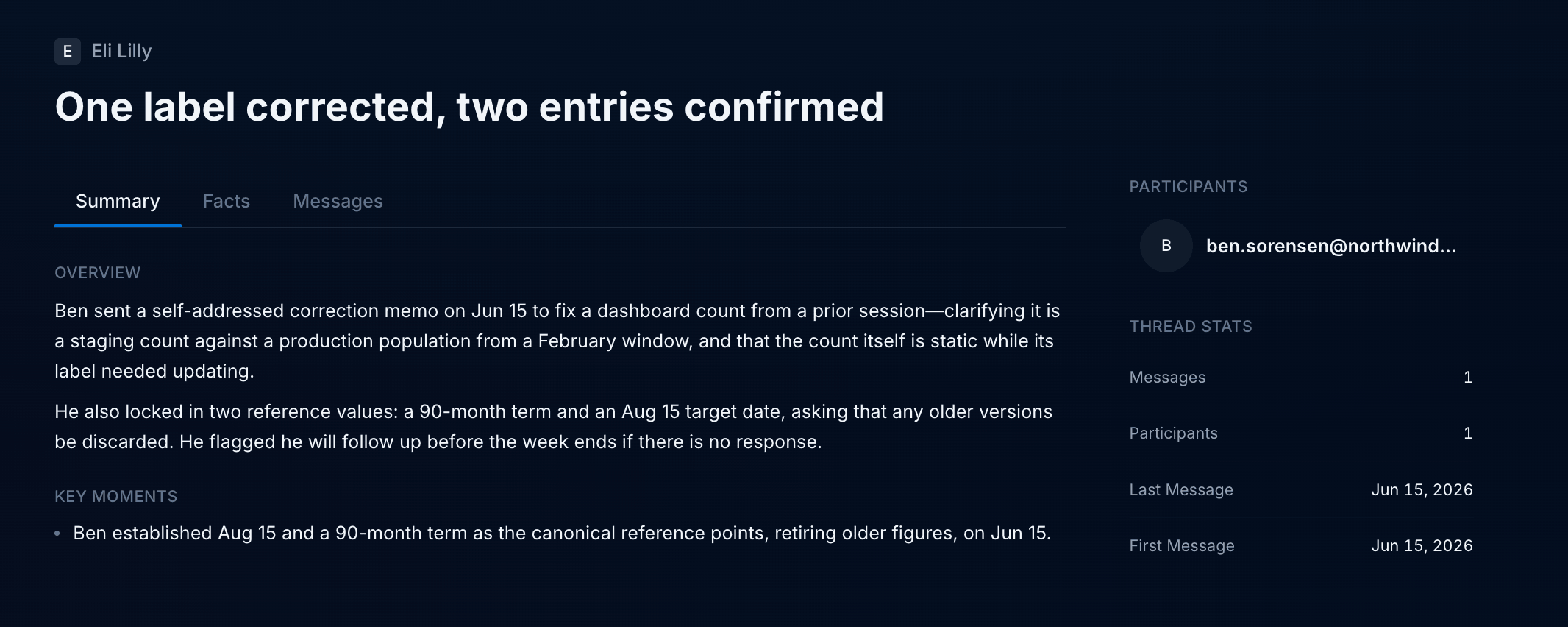
## Source pages
Click into a meeting, email thread, or channel from an entity page to open its source page. Source pages show where the information on an entity page comes from:
* **Summary** — an overview of the conversation and its key moments
* **Facts** — the individual facts Endgame pulled from the source
* **Messages** — the original messages in the conversation
The side panel lists the participants and stats for the conversation, such as the number of messages and participants and the dates of the first and last message. The account the source belongs to is linked at the top of the page.
Admins can see the edits their team has contributed in the **Context added** view of the [Console](/console-observation#context-added).
The following context agents are included out of the box.
| Agent | Description |
| ----------------- | ------------------------------------------------------------------------------------------------------------------------------------------------------------------------------------------------- |
| Overview agent | Summarizes the current state of an account or person, bringing together recent activity, key relationships, and important developments so you can get up to speed quickly. |
| News agent | Finds and curates relevant public news about companies, helping you spot developments that could affect your relationships or create a reason to reach out. |
| Workstream agent | Organizes an account's ongoing initiatives into workstreams, highlighting progress, owners, next steps, and blockers across meetings, emails, and deal activity. |
| Deal agent | Brings together an account's opportunities, including deal stages, amounts, and close dates, so you can see the current pipeline in one place. |
| Committee agent | Identifies the people involved in an account's buying decisions, including decision-makers, champions, and connectors, and summarizes their roles and engagement based on the available evidence. |
| Interaction agent | Brings meetings, email conversations, and chat activity into a shared interaction history, helping you review past engagement and upcoming meetings. |
| Knowledge agent | Collects the documents and chat channels linked to an account, giving you a place to find the supporting material behind your team's work. |
## Source pages
Click into a meeting, email thread, or channel from an entity page to open its source page. Source pages show where the information on an entity page comes from:
* **Summary** — an overview of the conversation and its key moments
* **Facts** — the individual facts Endgame pulled from the source
* **Messages** — the original messages in the conversation
The side panel lists the participants and stats for the conversation, such as the number of messages and participants and the dates of the first and last message. The account the source belongs to is linked at the top of the page.