

User memory is in Beta and only available to select users
How to create or update a memory
Memories are detected and saved automatically through your chat interactions. You can be explicit to ensure your preferences are captured, for example “I like my answers concise,” but Endgame will also detect memories that are less directly stated. You can update a memory by including the change in a subsequent prompt, such as “I only like concise answers when drafting emails” or “I prefer verbose answers.”Turning user memory on/off
For users with Memories enabled, the feature is toggled on by default to capture your memories. You can update this setting in the user settings view. When Memories is toggled on, your memories from chat are stored and used in your chat responses. When toggled off, new memories are not saved and existing memories, if any, are not used in chat responses.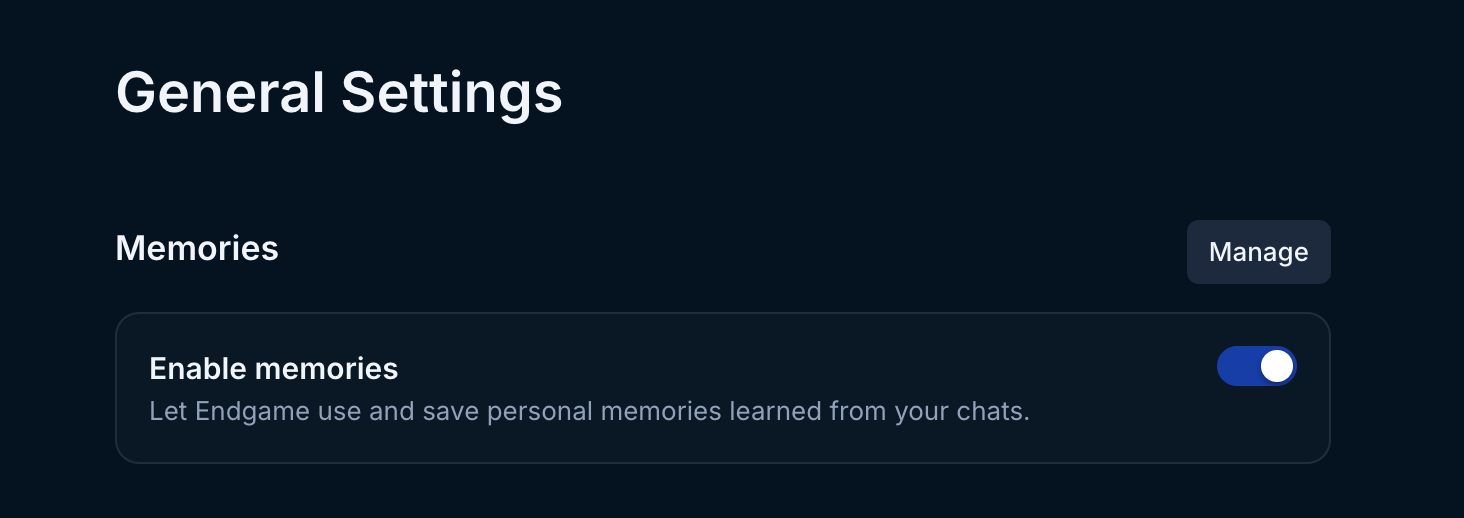
User memory setting
How to view and delete memories
Users can review their memories in the user settings view. To navigate to user settings, click on your initials in the lower left sidebar and click on Manage in Memories. Here you’ll see a list of the memories Endgame has saved for you along with the quote that informed the memory. You can delete any memories you don’t want Endgame to use. Because memories are saved automatically, Endgame may occasionally interpret something as a memory that you don’t want saved. You can easily review and delete them here.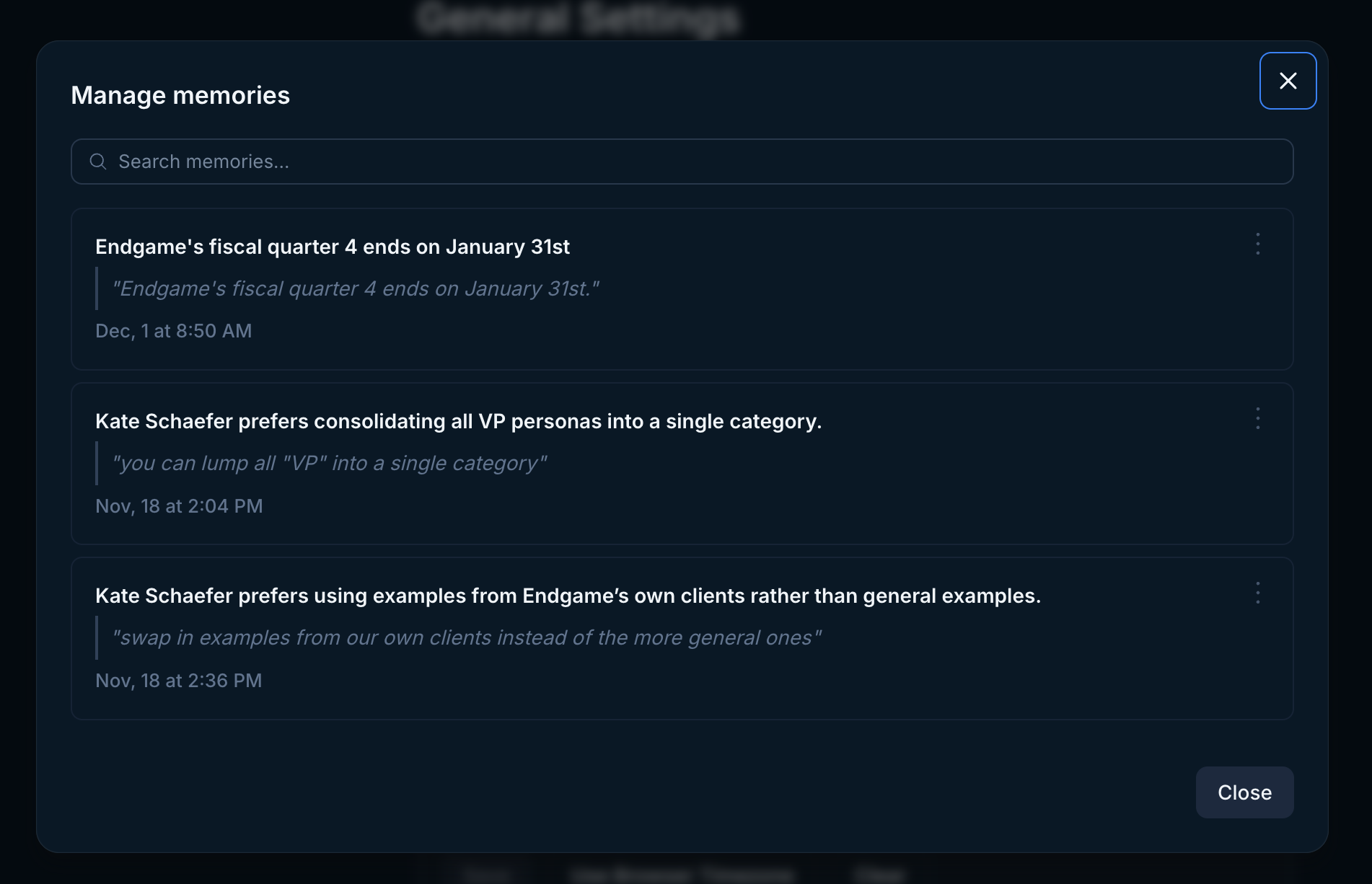
User memory management