> ## Documentation Index
> Fetch the complete documentation index at: https://docs.endgame.io/llms.txt
> Use this file to discover all available pages before exploring further.

# Tasks: Personal Digests

> Configure custom Endgame digests, sent straight to your inbox.

Tasks allow users to send custom prompt outputs directly to their email inbox on a daily, weekly, monthly, or quarterly schedule.

## Create or manage existing tasks

To create or manage your existing tasks, click on the task icon in the left side navigation.

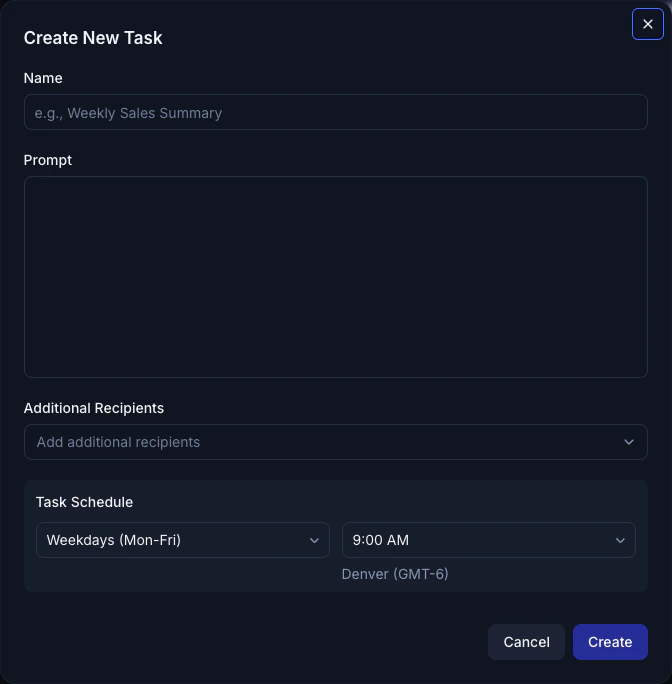
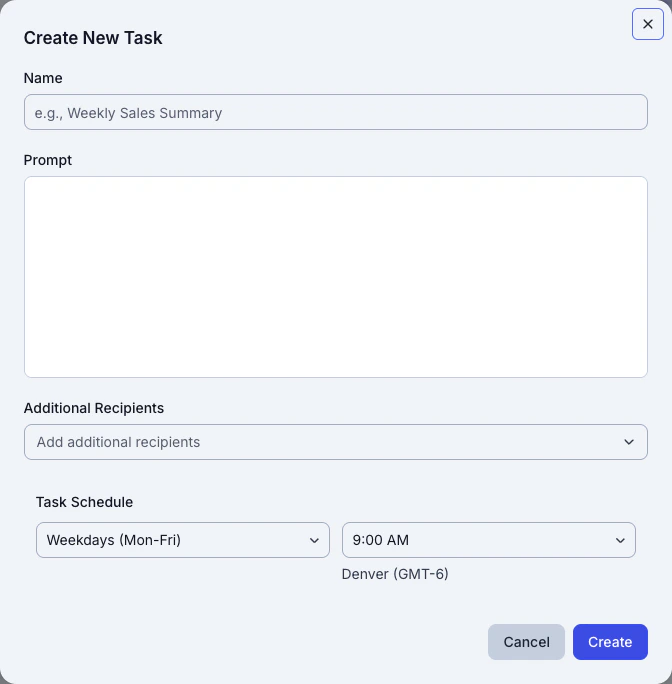
Once in the task view, you can click New Task to create a task, or click on an existing task to make updates. Endgame provides a few suggested tasks to get you started. You can enable and edit these tasks or you can create new tasks from scratch on your own.
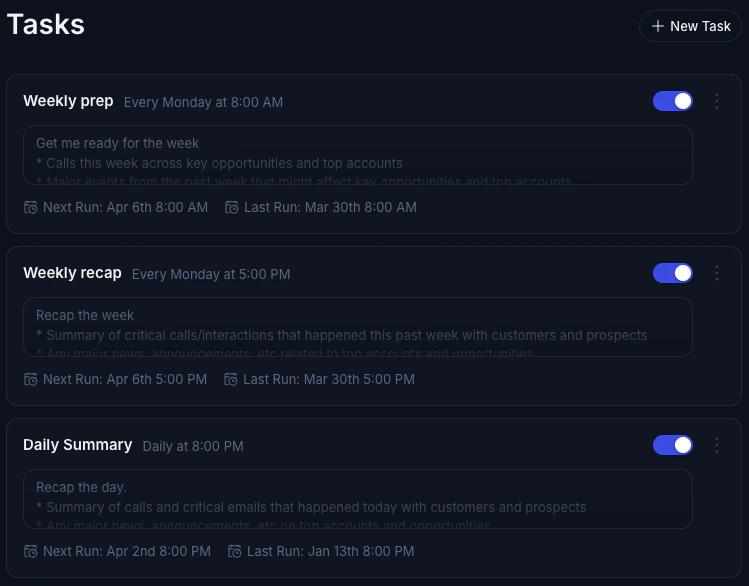
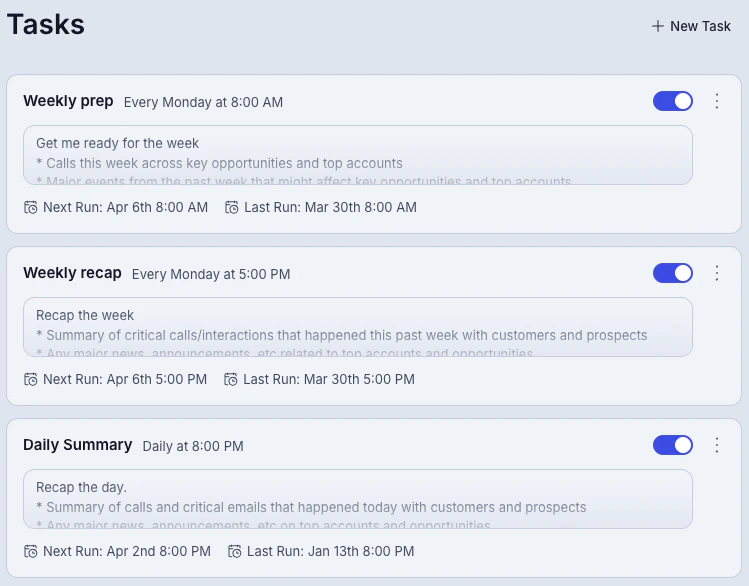
<Frame caption="Default task templates">
  <img src="https://mintcdn.com/endgame-e965a12c/ZnSY9ycaiowVjbNR/images/tasks-defaults-dark-04-02-26.jpg?fit=max&auto=format&n=ZnSY9ycaiowVjbNR&q=85&s=a1dfccc9e0e00af5c6f17436809a3e78" alt="Task Defaults" className="rounded-lg hidden dark:block" lightAlt="Task Defaults" darkAlt="Task Defaults" width="749" height="586" data-path="images/tasks-defaults-dark-04-02-26.jpg" />

  <img src="https://mintcdn.com/endgame-e965a12c/ZnSY9ycaiowVjbNR/images/tasks-defaults-light-04-02-26.jpg?fit=max&auto=format&n=ZnSY9ycaiowVjbNR&q=85&s=225c990a969fab7c81d5f3eebd83f509" alt="Task Defaults" className="rounded-lg dark:hidden" lightAlt="Task Defaults" darkAlt="Task Defaults" width="749" height="586" data-path="images/tasks-defaults-light-04-02-26.jpg" />
</Frame>

<Frame caption="Create a new task">
  <img src="https://mintcdn.com/endgame-e965a12c/ZnSY9ycaiowVjbNR/images/create-new-task-dark-04-02-26.jpg?fit=max&auto=format&n=ZnSY9ycaiowVjbNR&q=85&s=05e1721ac64dbc4a3aa74b971c915f49" alt="Create New Task" className="rounded-lg hidden dark:block" lightAlt="Create New Task" darkAlt="Create New Task" width="672" height="684" data-path="images/create-new-task-dark-04-02-26.jpg" />

  <img src="https://mintcdn.com/endgame-e965a12c/ZnSY9ycaiowVjbNR/images/create-new-task-light-04-02-26.jpg?fit=max&auto=format&n=ZnSY9ycaiowVjbNR&q=85&s=f38d4ba1ff37a165f299d27797afd871" alt="Create New Task" className="rounded-lg dark:hidden" lightAlt="Create New Task" darkAlt="Create New Task" width="672" height="684" data-path="images/create-new-task-light-04-02-26.jpg" />
</Frame>

Add additional recipients to your task by selecting from users in your organization, or adding any valid email address to the Additional Email Recipients field.

You can disable or delete tasks anytime if you want to stop receiving fresh content. By default, tasks are sent to the email associated with your user.

You can generate a task preview by clicking Run which will send your preview task directly to your email so you don't have to wait for your first scheduled task to send.


<Frame caption="Active tasks">
  <img src="https://mintcdn.com/endgame-e965a12c/ZnSY9ycaiowVjbNR/images/active-task-dark-04-02-26.jpg?fit=max&auto=format&n=ZnSY9ycaiowVjbNR&q=85&s=a4211540530be83fd73bb2957dfc2013" alt="Active Task" className="rounded-lg hidden dark:block" lightAlt="Active Task" darkAlt="Active Task" width="736" height="138" data-path="images/active-task-dark-04-02-26.jpg" />

  <img src="https://mintcdn.com/endgame-e965a12c/ZnSY9ycaiowVjbNR/images/active-task-light-04-02-26.jpg?fit=max&auto=format&n=ZnSY9ycaiowVjbNR&q=85&s=1977b243741ef8a13c4f12c7e3ff972a" alt="Active Task" className="rounded-lg dark:hidden" lightAlt="Active Task" darkAlt="Active Task" width="736" height="138" data-path="images/active-task-light-04-02-26.jpg" />
</Frame>