> ## Documentation Index
> Fetch the complete documentation index at: https://docs.endgame.io/llms.txt
> Use this file to discover all available pages before exploring further.
# Export Thread Content
> How to export chat thread responses
Thread responses from Endgame can be exported in several common file formats.
Read about [sharing](/features/publishing-and-sharing) entire threads.
## Export Threads
### Export as PDF, DOCX, Markdown, HTML
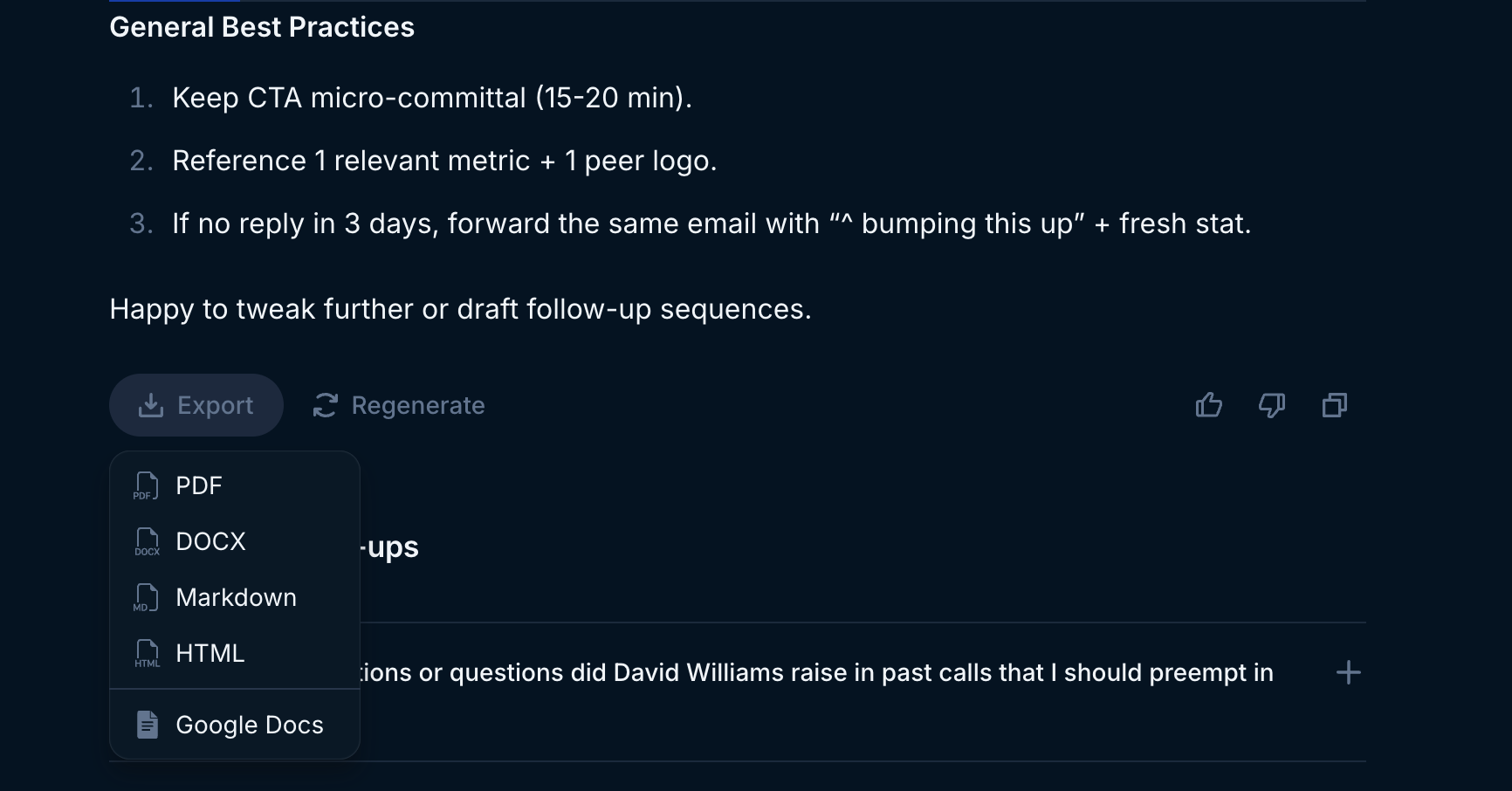
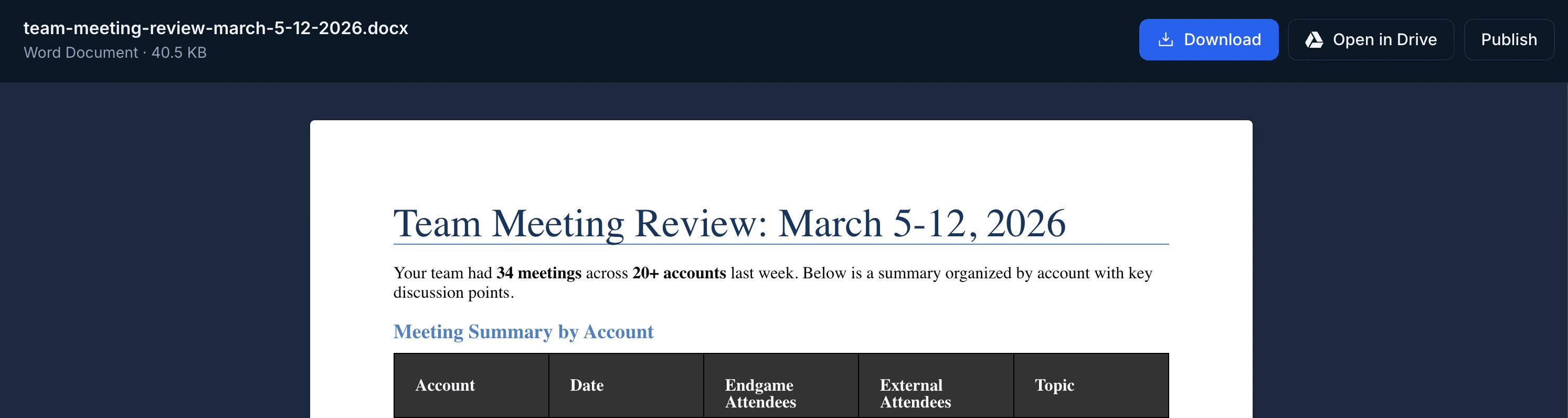
To export content in PDF, DOCX, Markdown, or HTML format, access the Export menu at the end of any thread message and select your preferred format. The file will open in a preview where you can download the document.
 ### Export to Google Docs
To export directly to Google Docs, access the Export menu at the end of any thread message and select the Google Docs option. If you're already authenticated with Google, your thread message will automatically open in Docs. Otherwise, you'll need to complete the Google authentication process before attempting to export again.
## Export Tables
### Copy table as CSV
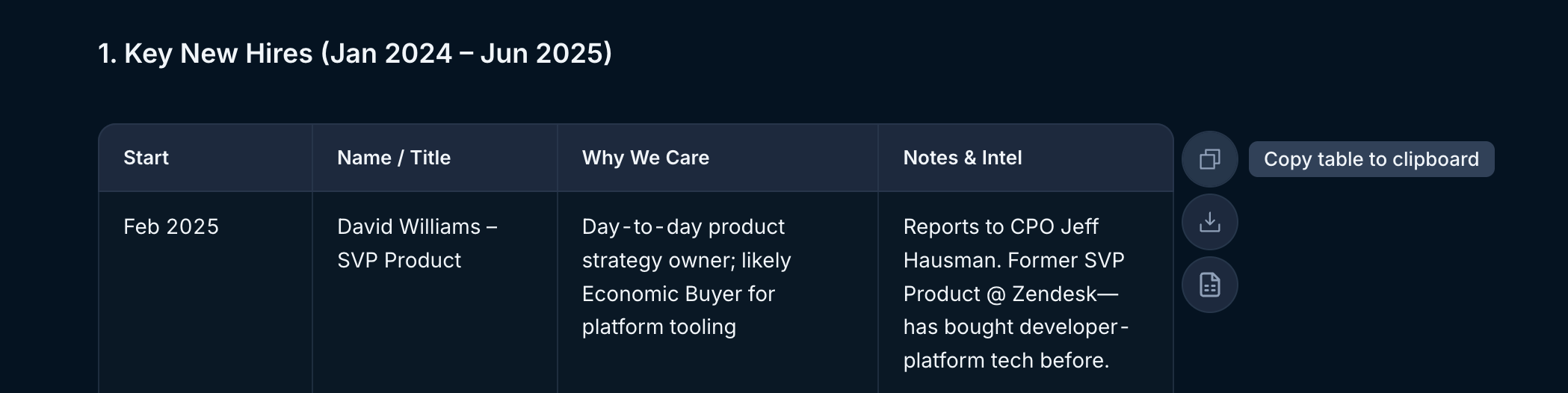
To copy table content in CSV format, hover over the desired table and select the "Copy table to clipboard" option. You can then paste the content directly into any spreadsheet application.
### Export to Google Docs
To export directly to Google Docs, access the Export menu at the end of any thread message and select the Google Docs option. If you're already authenticated with Google, your thread message will automatically open in Docs. Otherwise, you'll need to complete the Google authentication process before attempting to export again.
## Export Tables
### Copy table as CSV
To copy table content in CSV format, hover over the desired table and select the "Copy table to clipboard" option. You can then paste the content directly into any spreadsheet application.
 ### Download table as CSV
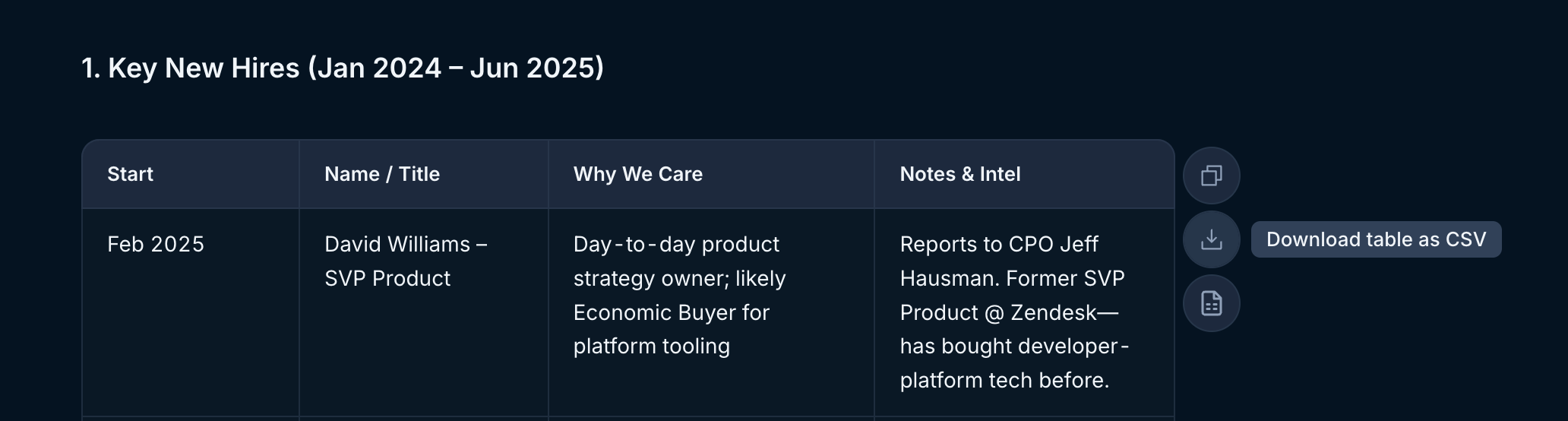
To download table content as a CSV file, hover over the desired table and select the "Download table as CSV" option. The file will automatically download to your device.
### Download table as CSV
To download table content as a CSV file, hover over the desired table and select the "Download table as CSV" option. The file will automatically download to your device.
 ### Export table to Google Sheets
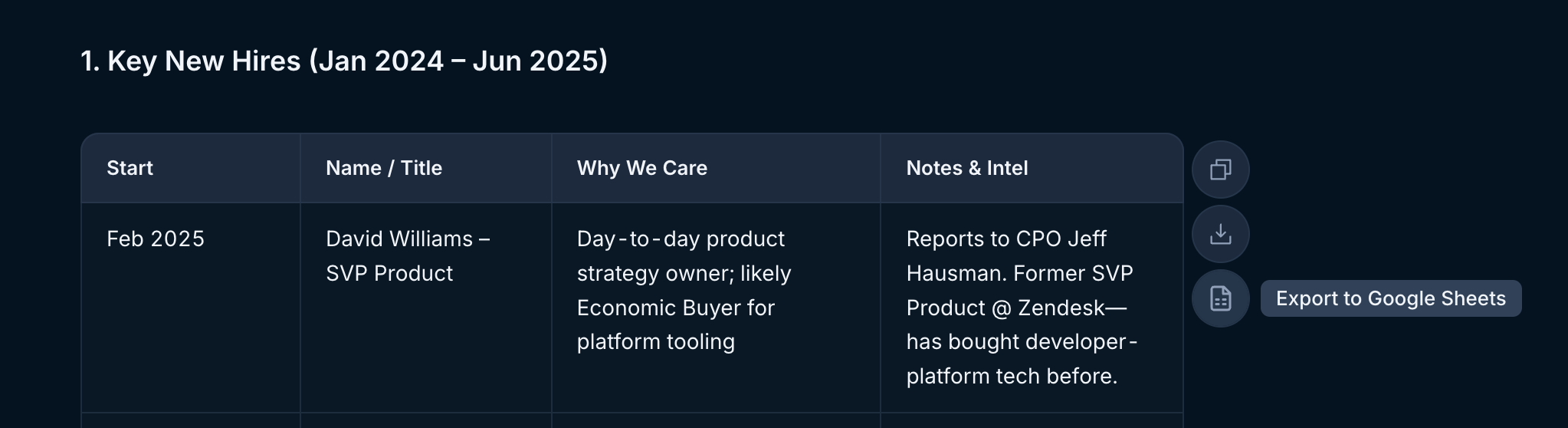
To export directly to Google Sheets, hover over the desired table and select the "Export to Google Sheets" option. If you're already authenticated with Google, your table will automatically open in Sheets. Otherwise, you'll need to complete the Google authentication process before attempting to export again.
### Export table to Google Sheets
To export directly to Google Sheets, hover over the desired table and select the "Export to Google Sheets" option. If you're already authenticated with Google, your table will automatically open in Sheets. Otherwise, you'll need to complete the Google authentication process before attempting to export again.
 ## Copy thread content
Additionally, you can copy thread content directly to your clipboard for seamless integration into your workflow. Access the thread toolbar at the end of any message and select the Copy message icon.
## Copy thread content
Additionally, you can copy thread content directly to your clipboard for seamless integration into your workflow. Access the thread toolbar at the end of any message and select the Copy message icon.
